What you walk away with
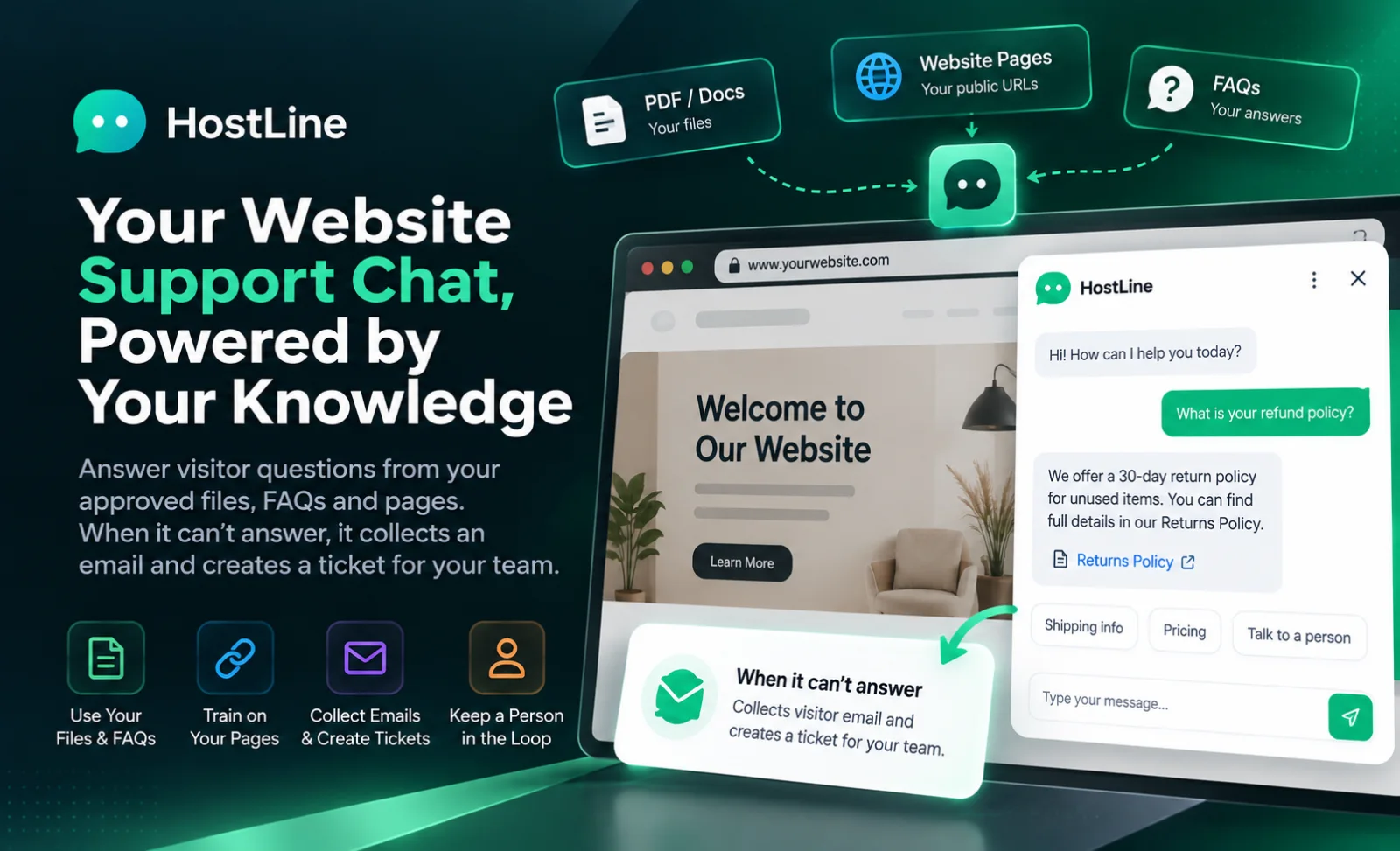
You put a chat on your own website, and it answers from the knowledge you approved. Hostline is that desk. A visitor opens the launcher, asks a question, and gets a reply drawn from the files, the FAQs, and the public pages you added for that site. When the answer is not in that material, or the visitor asks for a person, the chat collects an email and opens a ticket your team can see. You are not handing the visitor a general chatbot that invents a policy. You are handing them your own support, with a person still at the end of it.
Before the chat goes live, you try it yourself. The playground asks the same kind of question a visitor will ask, and it shows the sources behind the reply. You can see whether the answer came from the shipping page, the FAQ you wrote, or nowhere at all. A test conversation stays a test. It is not mixed into the live chats from the website. When you are satisfied, you copy a small snippet onto the site. The snippet carries a public site id. The chat appears only on a domain you allowed.
What you walk away with is a launcher in your colours, a welcome in your words, and a list of conversations you can reopen. Unanswered questions sit in their own list, so the gaps in the knowledge are visible instead of hidden inside a thread. A ticket has a reference the visitor can be shown. Your teammate can mark that ticket and read the question that the chat could not finish.
The knowledge stays yours. A PDF, a Word document, a plain text file, a Markdown file, a FAQ you type, or one public page you name: those are the sources. They are processed in the background, and you can see when a source is ready, still working, or failed. Until you approve the material, the chat has nothing of yours to stand on. That is the product. The visitor gets an answer you can trace, or a handoff you can follow up.
Who it is for
Hostline is for a team that already has a website and a set of answers they trust. A studio that supports client sites. A product company whose help pages are real but hard to find. A services firm that answers the same questions about hours, pricing rules, and how to book. You want the chat on the site people already visit, in a voice and a colour that belong there, and you want a person available when the chat should stop.
You are a good fit if someone on the team can say which documents are allowed to answer. The shipping policy. The returns FAQ. The public page that explains the service. A file you uploaded on purpose. You are also a good fit if more than one person will look at the inbox: one person adds knowledge, another reads tickets, another checks the playground before a change goes live. You can invite a teammate. The site, the sources, and the conversations belong to the organization, not to a single browser tab.
It fits more than one site when the businesses are different. Each site has its own allowed domain, its own assistant name, its own welcome, and its own knowledge. A question on one site is not answered from another site’s files. That split is the point. A visitor on the shop should not receive a paragraph from the other brand’s handbook.
It is a poor fit if you want the chat to change an order, issue a refund, or reach into a private system. Hostline will not do that. When a visitor asks for an account change, the reply says the chat cannot make that change, and it offers the email handoff so a person can. It is also a poor fit if you want every page of the web as a source. You add the pages and files you mean. The chat does not wander off and invent a source you never gave it.
The person who still owns the answer
The useful picture is a support lead with a folder of approved answers, not a bot left alone on the homepage. They know which sentence about delivery is current. They know which price should never be guessed. Hostline lets them put those answers on the site, test them, and see the questions the material could not cover.
A founder who answers the inbox themselves can use the same desk. The title does not matter. The habit does: add the source, wait until it is ready, ask the question in the playground, read the excerpt, then install the snippet on the domain you named.
If a second brand needs its own chat, it gets its own site inside the organization. The allowed domain is different. The files are different. You do not paste both brands into one document and hope the chat picks the right half.
The work it replaces
The answers lived in a help page, a PDF, and the head of the person who had been there longest. Visitors wrote to the contact form, or they hunted the footer, or they asked in a chat tool that had no connection to those pages. The person on support pasted the same paragraph about delivery three times a morning. A new teammate could not see which version of the policy was the one you meant.
A generic chat made it worse. It answered quickly and sometimes invented a guarantee, a price, or a feature you do not offer. You found out when a customer quoted the chat back to you. There was no source under the sentence, so you could not tell whether the mistake was an old PDF or a guess. Turning the chat off felt safer than leaving it up.
The questions you could not answer disappeared into inboxes. Nobody kept a list of “we should write this FAQ.” The next week the same question arrived, and the same person typed the same reply. The website had the knowledge. The chat, if you had one, was not using it. The team was the search engine.
Hostline replaces that split. The files and FAQs you approve are what the chat may use. The playground shows the excerpt. A missing answer becomes an unanswered question you can see, and a ticket when the visitor leaves an email. The person on the team still owns the hard cases. They stop retyping the easy ones from memory.
Knowledge you approve
You add knowledge in the form it already has. Upload a PDF, a DOCX, a TXT file, or Markdown. Type a FAQ when the answer is short and you want it in your own words. Give one public page by its address when the live site already says the thing correctly. Those are the sources for that site. A file of the wrong kind is refused, and an empty file is refused. A text file has to be text the system can read. You are not dropping a mystery folder into a box and hoping.
Each source shows where it stands. It can be uploaded, queued, processing, ready, failed, or archived. Upload is not the same as ready. The visitor should not be answered from a file that is still being read. When processing fails, you see a plain reason and you can try again. You can archive a source when it should stop informing new answers. The conversations that already happened stay as history. Future replies stop using what you archived.
Replacing a document is a new version, not a silent edit of the old one. The new version has to succeed before it takes the place of the old chunks in retrieval. That is how a half-processed upload does not wipe the policy you were relying on this morning. You wait for ready. Then you ask the playground the question that policy is supposed to answer, and you read the excerpt.
A FAQ you type is the same kind of source. It is not live the moment you press save if it still has to be indexed. When it is ready, the chat can use it. An unanswered question on the support screen is a hint about the FAQ you have not written yet. You still write it and let it become ready. The list of gaps does not rewrite your knowledge by itself.
One page, not the whole web
When you add a public page, you add that page. Hostline does not set off to read every link on your domain and call the result your knowledge. If the returns page matters, you name the returns page. If a second page matters, you add that one too. You can see each source in the list, with its status.
That habit keeps the chat honest. A page you forgot to add cannot be quoted. A page you archived stops being quoted. You are never in the position of explaining a sentence that came from a blog post three years deep in the site, unless you chose to add it.
Private addresses are not the way you teach the chat your internal notes. The public page import is for a public URL. Internal material belongs in a file you upload, or a FAQ you type, on purpose, for that site.
A widget on your own site
The chat is a launcher on the site you already have. You choose the assistant name, the welcome message, the colours, the typeface, the corner radius, and which corner the button sits in. The panel opens with your welcome. The visitor types a message and watches the reply arrive. On a small screen the panel behaves like a sheet. Closing it returns focus to the launcher, so the rest of the page is still usable.
Installation is a snippet you paste before the closing body tag, on the pages where support should appear. It works on an ordinary HTML site and on the kinds of sites teams already ship, including WordPress, React, Next.js, and Laravel. The snippet identifies the site with a public id. It does not carry a secret. Anyone can see a script tag. They cannot see another customer’s files, because the id only opens the widget for that site, and only from a domain you allowed.
The allowed domain is the gate. You name the hostname when you create the site. If the page is not on that hostname, the widget does not start. A copy of the snippet pasted onto some other domain does not become a second support channel. You confirm the domain, add the code, then open the real site and check that the launcher is there. That check is part of going live, not a hope.
A visitor does not need an account to ask the first question. They open the chat and type. If they close the panel and come back later the same day, the conversation can still be there in that browser. The welcome is yours. The assistant name is yours. A greeting can be answered as a greeting. A question about your business still has to come from the knowledge you approved.
What the visitor actually sees
They see a button. They see your name for the assistant and the welcome you wrote. They see their message and the reply as it forms. If the chat cannot answer from the material, or they have asked for a person, they see the handoff: a short prompt, an email field, and a way to send it. When the ticket is created, they see a confirmation and a reference.
They do not see your other sites. They do not see the playground. They do not see a stack trace when something fails. A failed send shows an error they can read. A site that is not allowed never gets as far as a conversation.
The look can match the page without becoming a second brand. Colour, radius, and position are the choices that make the launcher feel installed rather than stuck on. The words still have to be yours, because colour will not fix a wrong policy.
Try it before it goes live
The playground is where you ask the questions you hope the chat can answer, before a visitor does. You type a question. The reply streams back. Beside it you can read the decision and the sources: the name of the document or page, the place in it, and a short excerpt, in rank order. If the excerpt does not support the sentence, you do not install yet. You fix the source, or you add the FAQ that was missing.
A playground conversation is marked as a test. It uses the same retrieval the live chat uses, so you are not testing a prettier demo that behaves differently on Tuesday. It is kept out of the production story of the site. You can clear the test thread and ask again after a source becomes ready. Opening the playground page is not itself a completed test. A test is a question you asked and a source you were willing to stand behind.
This is also where you catch the cases that should never be answered by the chat. Ask it to change an order. Ask it for a price that is not in the file. Ask it something you know is absent. You want the handoff, not a confident paragraph. Hostline is built to say when it does not have the detail, and to offer the email instead of a guess. The playground is where you watch that happen with your own material.
Do not mark the knowledge step done because a file was uploaded. Mark it done when at least one source is ready and a question you care about cites it. Then customize the widget. Then copy the snippet. Then open the allowed domain and see the launcher. That order is the onboarding, and you can leave and come back. The checklist is still there.
A person when the answer is not there
Some questions should reach a person. The visitor says they want a human. The question is not in the approved material. The chat is asked to do something it cannot do, such as change an account or open a private system. The reply fails and the visitor needs another path. In those cases the widget shows the handoff. The visitor enters an email. Hostline creates a ticket and shows a reference. Your team sees that ticket on the support screen, with the subject and the status.
The words the visitor hears are plain. If they ask for a person, the chat says so and asks for the email. If the detail is not in the information it can verify, it says it wants to be accurate and does not have that detail, then asks for the email. If they want an account change, it says it cannot make that change from the chat. If a reply cannot be put together, it asks them to try once more or leave an email. None of those are a fabricated policy.
On your side, unanswered questions are listed: the question, the reason, and the status. That list is how you decide the next FAQ. A ticket can be updated as you work it. You are not hunting through a chat log to discover that twelve people asked about the same missing page. The gap is on the screen. The follow-up is a ticket with a reference, not a vanished form.
You still write the follow-up email. Hostline records the request and notifies according to the handoff you configured. The conversation that led there remains available to a signed-in member of the organization, with the sources that were used when an answer was given. A teammate can see what the visitor was told before they left their address.
What you do with a ticket
Open the support screen. The tickets are there, newest first, with a reference, a subject, a status, and the visitor email when they left one. You can mark the status as you handle it. The reference is the same one the visitor was shown, so a reply you send can name it.
Next to the tickets are the questions the chat could not answer from the knowledge. Use them as the editorial list for the week. If three people asked how long a repair takes, and that page was never added, add the page or type the FAQ. Wait until it is ready. Ask it in the playground. Then the next visitor can be answered without a ticket.
A ticket is not a failure of the product. It is the product refusing to guess. The team should treat a full ticket list as a signal about the knowledge, and also as real people waiting. Both are true. Hostline keeps them in one place so you do not have to choose between a chat log and a spreadsheet.
A normal working day
Monday you sign in. The organization and the site are already there, with the domain you sell on. You upload the new returns PDF. It moves from uploaded to processing. You do not paste the snippet again. You wait until the source is ready, then you open the playground and ask, “How long do I have to send a return?” The reply cites the PDF, with the page or the heading you can check. You read the excerpt. It matches the file. You leave the chat on the site as it is.
Tuesday a visitor asks something the PDF does not cover. The chat says it does not have that detail and offers the email. They send it. You see a ticket with a reference and the question on the unanswered list. You answer them from the mailbox you already use. Then you type a short FAQ in Hostline so the next person does not need a ticket. You let it become ready, and you ask the playground the same question before you trust it.
Wednesday a teammate accepts an invitation and signs in. They can review the conversations for the site. They are not browsing another organization’s files, and they are not reading the other site you keep for a second brand. You ask them to watch the ticket list for the afternoon. You keep ownership of which documents are allowed to answer.
Thursday you archive last season’s policy. New answers stop using it once it is archived. You upload the current one and wait for ready. The playground question you used on Monday should now cite the new file, not the old one. If it still cites the old excerpt, you are not done. The test is the excerpt, not the feeling that an upload finished.
Friday you open the live site on the allowed domain and ask one question you know. The launcher is in the corner you chose. The welcome is the sentence you wrote. The answer matches the playground. A question you know is missing still offers the email. That is a week of Hostline: sources you approved, a chat on your site, and a person when the source runs out.
A second site, a second domain
If you run two websites, add a second site. Give it its own name, its own canonical address, and its own allowed domain. Upload its own files. The playground for that site should cite those files. A question asked on the first domain stays with the first site.
Install the snippet for the second site on the second domain only. The public id is different. Pasting the first snippet onto the second domain will not start the widget, because the domain is not allowed for that id. That refusal is what you want. It is the check that the chats have not been crossed.
Invite the person who actually supports the second site. They should see its tickets and its unanswered questions. They should not need your login to do it, and they should not land in the other brand’s knowledge by accident.
What stays in your control
You choose the organization and the sites. You choose the allowed domain. You choose the assistant name, the welcome, and the look of the launcher. You choose every source: which file, which FAQ, which public page. You choose when a source is archived and when a new version is allowed to replace it. The chat does not add a document because it found one.
You choose when it goes live. The playground is available before the snippet is on the site. A test chat is marked as a test. You copy the snippet when the excerpts look right, and you verify it on the real domain. Taking the snippet off the site takes the launcher off. Archiving the site stops new public conversations and keeps the records you already have.
You choose the handoff. The prompt the visitor reads, and whether an email is required, are settings on the site. The ticket lands with your team. You decide who is invited to read conversations and tickets. Another organization’s members do not see your sites. Another site in your organization does not answer from this site’s files.
You also choose what a good answer is. Hostline will show you the source. It will refuse questions that ask it to change an account or reach a private system. It will say when the detail is not in the material. It will not grade your support team or promise a resolution rate. The conversations and the unanswered list are there so you can improve the knowledge. The judgement stays with you.
Built with
Hostline is a Next.js desk for your team, a React widget on the visitor’s site, and a Python service that retrieves the approved sources and writes the reply. PostgreSQL holds the organization, the sites, the knowledge, the conversations, and the tickets. Background jobs process an upload or a page after you add it, so the browser does not have to stay open while a PDF is read.
You do not operate that stack to answer a visitor. You sign in, add a source, wait until it is ready, test it, and paste the snippet on an allowed domain. The widget talks to the service with a public site id. The service checks the domain, uses only that site’s ready knowledge, and opens a ticket when the answer should be a person.
A product in this shape, from TechMamba
Hostline is the kind of product TechMamba builds. A support lead can explain it without a diagram: the chat on our site answers from the files we approved, we can see the source, and a person gets the question when the file does not have it. The launcher can look like the site. The knowledge cannot quietly become someone else’s.
If you want a support chat in this shape, bring the domain and one document you already trust. Tell us who adds knowledge, who reads tickets, and which questions must never be guessed. We will map the screens around that: the site, the sources, the playground, the snippet, the widget, and the handoff.
Try it on a question you can check by hand. If the excerpt matches the file, and a missing answer becomes a ticket instead of a story, the brief is the right shape. Bring us that page. We will build the desk that answers from it, and stops when it should.
Questions worth asking before you brief it
Which domain is allowed to show the chat? Which files are allowed to answer, and who may archive one? What should happen when the answer is not in those files? Who reads the tickets? Do you have one site or two that must never share knowledge? Those questions decide the desk more than any colour on the launcher.
Then run the pass. Create the organization and the site. Add the allowed domain. Upload a PDF you know well, or type a FAQ. Wait until it is ready. Ask the playground a question the file answers, and read the excerpt. Ask a question the file does not answer, and watch the handoff. Paste the snippet on the real site and confirm the launcher is absent on a domain you did not allow.
Bring a bad case on purpose. A price that is not written down. A request to change an order. An old policy you need to archive. The desk is working if those behave differently from a question the current FAQ covers, in ways you can point at. If the chat invents the price, you are not ready to leave it on the homepage.
TechMamba can take the brief from the support side of the table. You do not have to arrive with a model diagram. Arrive with the domain, the document, and the questions a person should still receive. We will say which parts of Hostline already match that week, and what you should decide before a second site shares the organization.
How a team settles in
The first week is one site, one domain, and a handful of sources you can check. Often that is the public FAQ page plus one PDF the team already sends to customers. You learn the difference between uploaded and ready. You learn to read an excerpt before you celebrate an answer. You install the snippet on a page you can reload, not on every template at once, until the launcher looks right.
The second week is the handoff. You ask the questions you know will fail. You leave a test email and find the ticket. You agree who watches that list, and what a reference in the subject line means when you reply. Someone writes the first FAQ from an unanswered question and waits for it to be ready. The chat gets slightly more useful because the knowledge got slightly more complete.
A second person joins with their own sign-in. If there is a second brand, it gets its own site and its own domain before that person adds a file. You prove the split once: a question on site A cites site A’s document, and the snippet for site A does not start on site B’s domain. After that hour, the team can trust the boundary.
After a month the knowledge list is the help center you actually maintain. Old files are archived instead of left to contradict the new ones. The unanswered list is a standing meeting, not a surprise. The chat is still not the whole of support. It is the part that can quote what you approved, and the door to a person for the rest.
What you still do by hand
You still decide which document is current. You still read the excerpt before you trust a new upload. You still answer the ticket that asks for a judgement, a refund, or an exception. Hostline can retrieve, reply, and record the handoff. It cannot want the right outcome for a particular customer. That remains the job.
You still write the FAQ in words you would say on the phone. A sloppy source becomes a sloppy answer, with a citation that proves it. The settle-in period is when the team learns to add less, and to add it carefully. Speed comes after the ready sources are ones you like.
You still talk about the gaps. The unanswered list helps the conversation, because you can point at the question. It does not replace the conversation. A ticket that surprises both of you is a source to add, or a rule that the chat should keep handing to a person.
What good looks like on the screen
Good looks like a site with a domain you recognise, a source that says ready, and a playground answer whose excerpt you can find in the file. It looks like a snippet on that domain and a launcher that does not appear on a domain you did not name. It looks like a greeting that is only a greeting, and a policy answer that cites the policy.
Good looks like a missing answer that becomes a handoff, with a reference on the visitor’s screen and a ticket on yours. It looks like an unanswered question you can turn into a FAQ, and a FAQ that is not trusted until it is ready. It looks like an archived file that the next test no longer cites.
You can explain a reply to someone who was not in the room. Here is the question. Here is the source. Here is the excerpt. Here is why this other question became a ticket instead. That explanation is the product working. A reply you cannot trace to a source you approved is a reply you should not leave on the site.
Over a month, good looks like fewer repeated emails and a clearer list of what the documents still do not cover. The person on support spends time on the tickets that need a person. The chat spends time on the questions the files already answer. Hostline’s job is to keep those two apart, on the site you already run, in words you were willing to approve.
The first afternoon, told in order
You register and sign in. You create the organization, the business the chat belongs to. You add a site: a name, the address of the website, and the domain that is allowed to load the widget. If the domain is wrong, you fix it before you think about colours. The domain is the permission. The colour is the coat of paint.
You add one source you can defend. A short FAQ is enough for the first hour. A PDF is enough if that PDF is the one you already trust. You leave the screen while it processes if you need to. When you come back, the status tells you whether to test or to read the error and retry. A failed source is still your source. It is not an answer.
In the playground you ask the question a customer asked you yesterday. You read the reply and the excerpt together. If they agree, you open the widget settings and set the name and the welcome to something you would say at the front desk. You copy the snippet. You put it on one page of the allowed site. You load that page and open the launcher. You ask the same question. The answer should match the playground, because both are using that site’s ready knowledge.
Then you ask a question the FAQ does not contain. You should get the honest stop, and the chance to leave an email. You use an address you control. You sign back into the desk and find the ticket and the reference. That loop, from missing answer to ticket, is the part to show a colleague before you put the launcher on every page. Once they have seen it, the chat is no longer a mystery. It is a desk with a door to a person.
Only then do you invite the rest of the team and talk about which other files are allowed. Hostline will accept more sources. It will not decide which ones deserve to speak for you. The first afternoon is a success when one true answer and one honest handoff both happened on the domain you named, and you could point at the reason for each.